How can businesses fix the PHP vulnerability?
You fix the vulnerability by installing a corrected PHP release on every affected system. That sounds simple, but in practice it often fails on details such as old packages, several PHP installations or containers. At rwQUANTICAL, we therefore check your PHP version first, then apply the update and finally test that your website or application works as before.
Give us a short description of your application, and we will agree with you how the assessment and update will run.
The updates have been available since 21 October 2026. Updating WordPress or your plugins is not enough, though, because the vulnerabilities sit in the PHP software on the server.
Which PHP versions fix the security vulnerabilities?
Sources checked:
Whether your server is still exposed depends on its PHP version. PHP is released in several version branches such as 8.3 or 8.4, and the PHP team has published a fixed release for each supported branch. If your server runs that release or a newer one from the same branch, both security vulnerabilities are closed. If you use PHP 8.3.30, for example, you need at least 8.3.36. Security advisories list the vulnerabilities as CVE-2026-109618 and CVE-2026-109619, and both are rated critical.
| PHP branch | Fixed from |
|---|---|
| PHP 8.2 | 8.2.35 |
| PHP 8.3 | 8.3.36 |
| PHP 8.4 | 8.4.27 |
| PHP 8.5 | 8.5.12 |
The table covers the official PHP releases. Some Linux distributions and hosting providers build the fixes into older packages whose PHP version number stays the same. In that case, only your provider’s update notice and the exact package version tell you more.
Verify releases with the PHP project Request an exposure assessmentWhat is PHP2Shell and why does it matter?
PHP2Shell is the name for two security flaws in PHP. PHP itself is a programming language that runs in the background on the server behind your website. Visitors never notice it, yet a large share of all websites depend on it, including every WordPress site and many online shops. The name combines PHP with the word shell, the command line used to control a server.
That is where the danger lies. Under certain conditions, attackers can use these flaws to run their own commands on your server, without any password or user account. Only the PHP update on the server closes the flaws for good.
What could happen in an attack?
What an attacker can do next depends on the permissions PHP runs with on your server. Typical consequences are access to data, altered content or disrupted operations. An attack does not automatically give control of the entire server, however.
Because of these risks, CERT-EU recommends updating affected systems immediately. Where that is not possible, businesses should consider taking the application off the public internet until it is fixed.
CERT-EU remediation guidance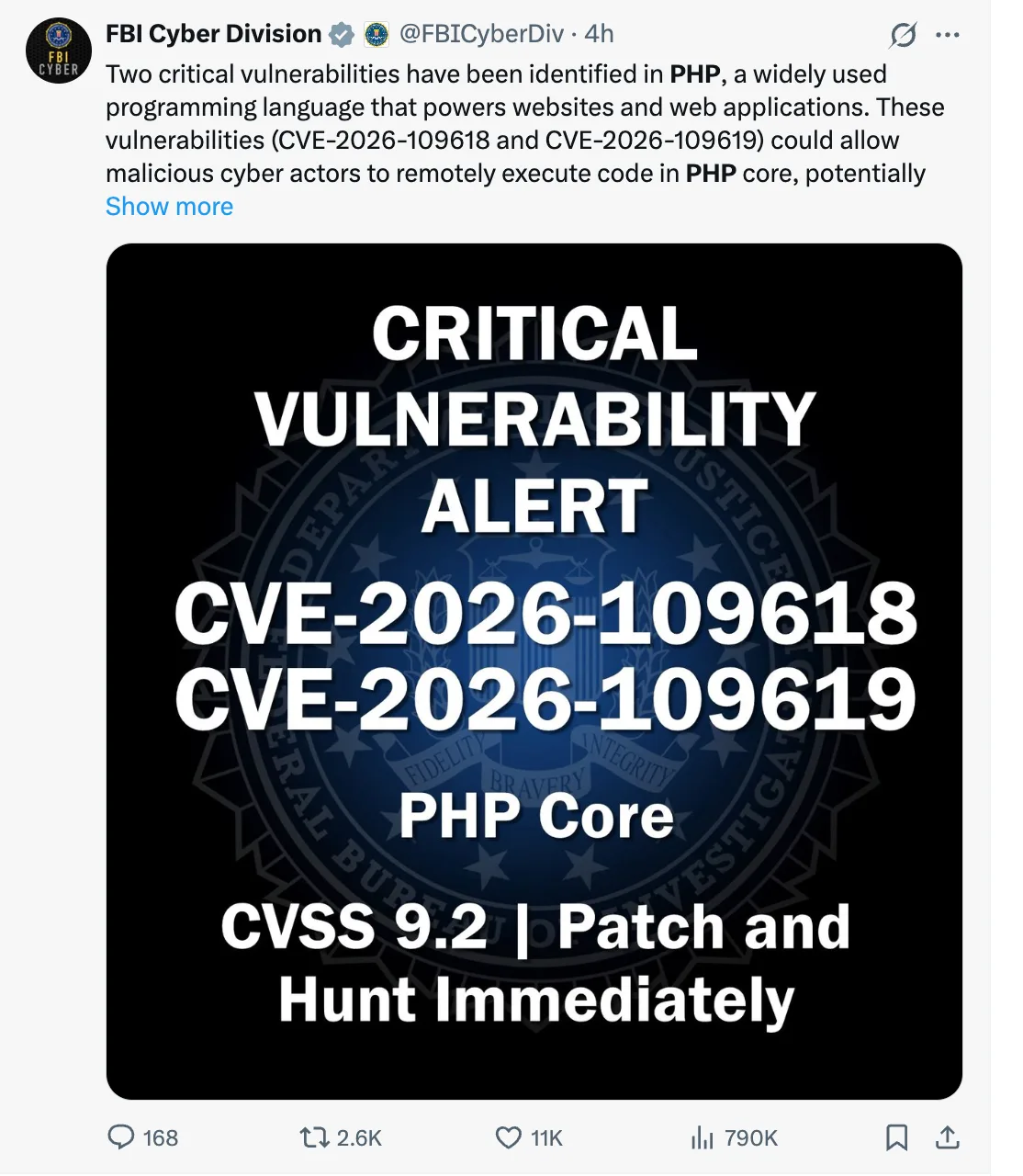
What happens in CVE-2026-109618?
The first flaw concerns situations in which PHP runs out of memory. PHP may then handle internal data incorrectly, and this behaviour can be exploited. On Apache with mod_php, it has been demonstrated that this can happen even before the website’s own code starts running.
PHP advisory on out-of-memory corruptionWhat happens in CVE-2026-109619?
With the second flaw, PHP may access memory that an earlier request has already freed. Attack paths have been validated for mod_php and PHP-FPM. The PHP team rates both flaws 9.2 out of 10 under CVSS v4.0, which places them in the critical range.
PHP advisory on stale global stateWhy are so many websites affected?
PHP2Shell gets so much attention because PHP is so widespread. According to W3Techs, 69.3% of websites whose server-side programming language is known use PHP (as of 21 October 2026). The service analyses which software runs behind websites. The figure therefore shows how many websites use PHP, not how many were attacked.
W3Techs PHP usage statistics and scopeWhy might an update through GitHub be delayed?
On the day of the release, GitHub had service problems. On 21 October 2026 it reported delays to pull requests, Actions and webhooks and named increased load in event processing as the cause.
By the evening, GitHub reported that these services were running again. Whether a large number of commits for the PHP fix caused the disruption has not been confirmed.
This matters to you if your provider builds or distributes updates through GitHub Actions. Disruptions of this kind can then delay the rollout of the patch.
GitHub’s incident report for 21 OctoberWho is affected by the PHP vulnerability?
Any business whose website or application runs on a vulnerable PHP release is affected. That often means WordPress sites, online shops and custom web applications. How the update works depends on where PHP runs in your setup. We support you in these environments:
- Managed hosting
- With managed hosting, the update usually lies with your provider. We ask whether the fix has been applied, check your website’s PHP version and then test the application.
- Your own servers
- On your own servers, we update PHP ourselves and check related services such as Apache or PHP-FPM. The flaw is only closed once the fixed version is actually running.
- Docker and containers
- In container environments, each container may bring its own PHP version. We therefore update the images in use and then restart the applications with the fixed software.
- Legacy PHP applications
- For older applications, we first check whether your provider supplies a fix for the old version. If a branch upgrade is needed instead, we also assess which changes the application requires.
Things are different for applications a vendor runs for you and for devices with embedded PHP. There, the vendor often has to supply the update. We help you establish who is responsible.
How do we fix the PHP vulnerability?
Whatever the environment, we work in four steps and agree each of them with you. At the end, you receive an overview of what we changed and which functions we tested.
-
What is running on your systems?
First, we identify which PHP versions are in use and which applications depend on them. We check containers and websites individually, because they may use different versions.
-
How do we prepare the update?
Next, we select suitable packages and agree how data will be backed up and restored if needed. If a branch upgrade is due, we test beforehand whether the application works with it.
-
How do we apply the fixes?
Then we update the agreed systems. We restart affected services and containers so that they actually load the fixed PHP version.
-
How do we confirm the update is running?
Finally, we check which PHP version is really running and test agreed functions such as login, a contact form or checkout.
How can I check the PHP version over SSH?
You can get a first impression yourself. If you have SSH access to your server, run this command in its terminal:
php --versionThe output only shows the command-line PHP version, though. Your website may use a different version through Apache, PHP-FPM or a container, which you should check separately. With packages from your provider, the fixes may also already be included without the version number changing.
Read about this command in the PHP documentationAn update closes the flaw, but it does not remove backdoors an attacker may already have installed. If there are signs of a compromise, we therefore discuss a separate investigation.
Can AI help fix the PHP vulnerability?
Yes, though in a different place than many expect. AI does not apply the PHP update for you. It can, however, review your code and deployment files and find further vulnerabilities along the way. For this review, we recommend Cloudflare’s security-audit skill to our clients. A skill is a set of working instructions that an AI coding agent loads when needed.
Cloudflare published the skill in September 2026, before PHP2Shell. It was therefore not built for this flaw, yet it helps with remediation in two places. It first maps the architecture and deployment files such as Dockerfiles, which shows where PHP versions are pinned. It then searches your own application code for further vulnerabilities.
How does the Cloudflare skill work?
To do this, the skill guides several separate AI agents through six phases. One principle runs through all of them: the agent that finds a vulnerability never verifies it.
-
Reconnaissance
Agents map architecture, trust boundaries and inputs, then build a coverage plan.
-
Hunting
Separate agents work through the coverage plan. Critic agents look for coverage gaps.
-
Validation
A fresh agent without prior context tries to disprove every single finding.
-
Findings file
Each finding is stored as confirmed, needs validation or rejected and checked against a schema.
-
Verification
Further independent agents check the source evidence behind confirmed findings.
-
Report
The verified findings produce a report, detailed write-ups and a list of open items.
In the end, the skill only confirms findings that cross a real security boundary and are backed by source code. It runs target code exclusively inside an isolated sandbox without network access. Without such a sandbox, a finding stays marked as needing validation. Cloudflare also recommends several runs, because in their tests a single run found only about half of the vulnerabilities that all runs found together.
Installation runs through the Skills CLI. After that, a request such as "security audit this codebase" is enough.
npx skills add https://github.com/cloudflare/security-audit-skill --skill security-auditWho can help me?
Developers with PHP experience can assess whether your systems are affected and apply the update properly. At rwQUANTICAL, we support you from the first version check through to testing your application, and for managed hosting we involve your provider.
Who discovered the PHP vulnerabilities?
Several parties were involved in the discovery. Security researchers at Calif found one of the two flaws using OpenAI’s GPT-5.6 Sol model, as part of OpenAI’s Patch the Planet programme. Independently, the security company Wiz discovered and reported both flaws. The PHP team then developed and released the fixes.
When did the vulnerabilities become known?
The first trace is older. According to the PHP Foundation, a PHP core developer noticed the first signs of the memory problem while fixing an issue from an external security audit. Quarkslab had carried out that audit in 2024. Only the reports from Calif, OpenAI and Wiz in August 2026 revealed the full impact, though. From 11 August, the fix was the top priority for the PHP Foundation’s security team, and the updates followed on 21 October 2026.
What does OpenAI’s article explain?
In a dedicated article, OpenAI describes how AI helped find the PHP flaws. It also explains how researchers, the PHP team and infrastructure providers coordinated the fixes, and it proposes a way to handle similar findings together in future.
Read OpenAI’s article on coordinated disclosure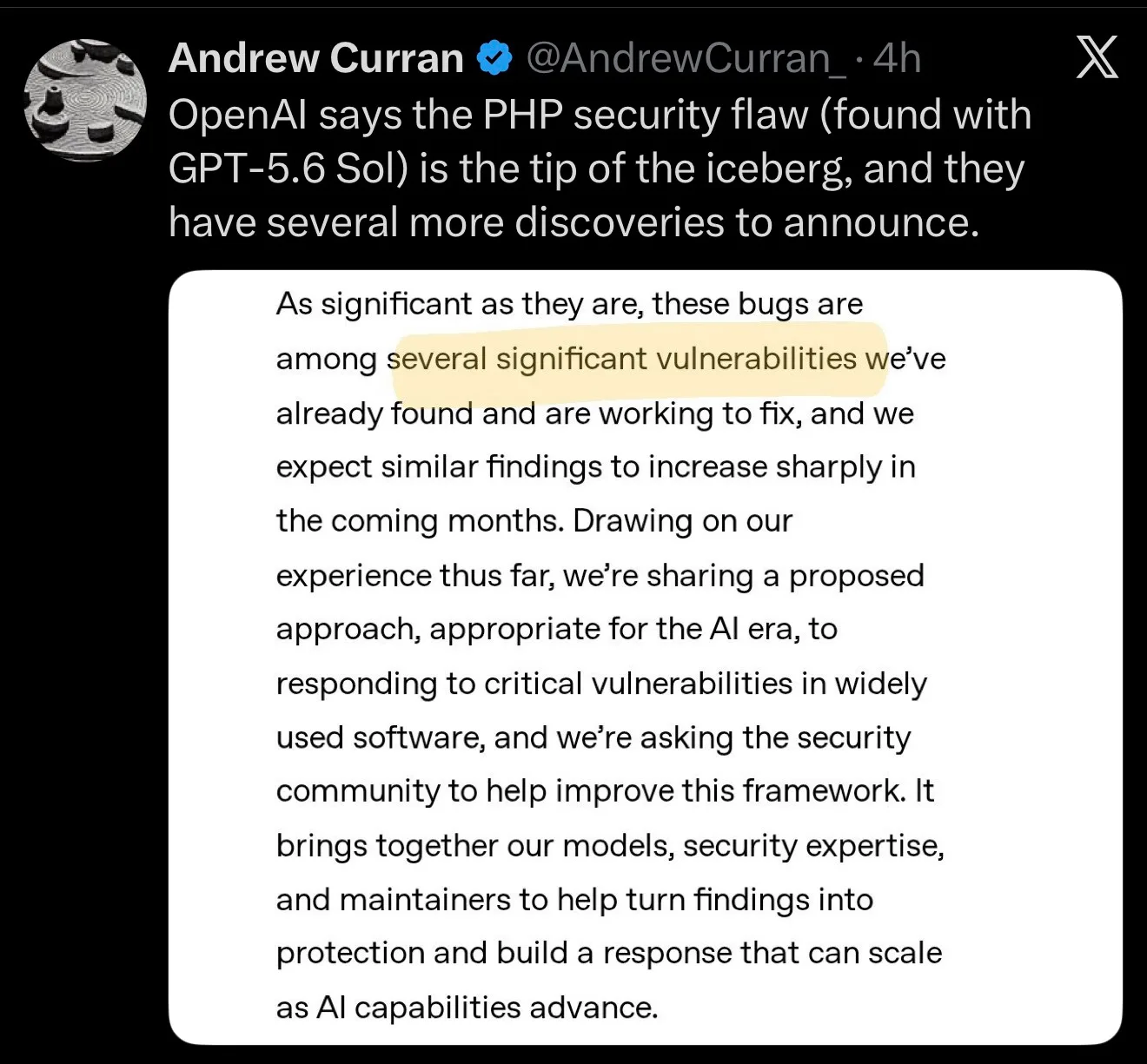
What does the NSA recommend?
Authorities reacted quickly as well. The US National Security Agency urged organisations using PHP to prepare for security updates. Its X post on 21 October 2026 read:
Effective Immediately, all organizations using PHP for their systems are advised to be prepared for an update addressing two critical vulnerabilities. PHP is widely used for web applications. These vulnerabilities often provide a direct path to the server's file system or database. If an immediate update is not feasible, it is recommend that organizations take the system offline until it can be fully mitigated. NSA will follow up shortly with more specific guidance.
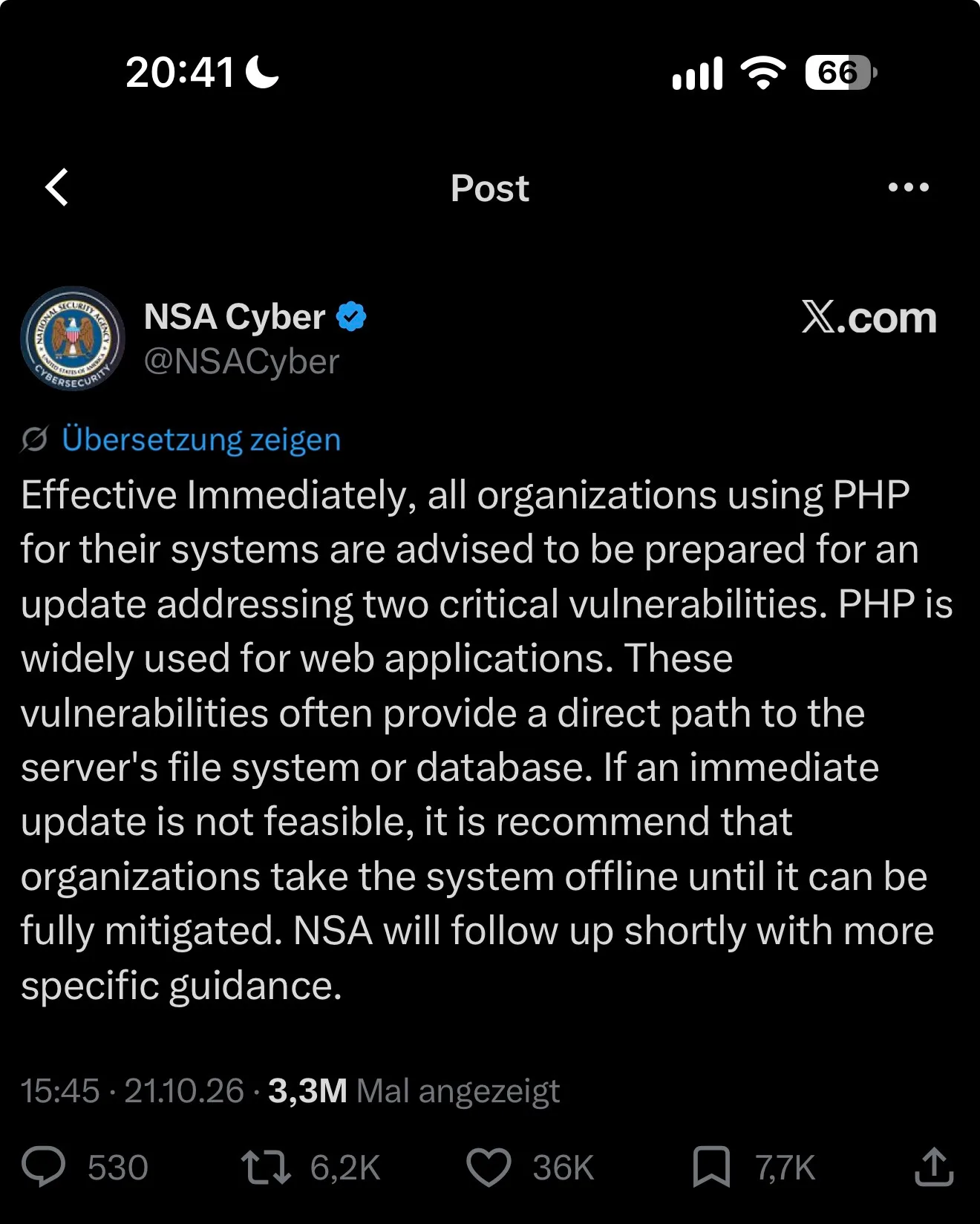
When this warning was posted, the updates had only been announced. They are now available. If an update cannot be applied immediately, the NSA recommends taking the system offline until it can be fully mitigated.
Should we expect more vulnerabilities?
Yes, we expect so. New AI models find vulnerabilities in widely used software faster than before, and PHP2Shell will not be the last case of its kind.
OpenAI itself says the PHP flaws are among several significant vulnerabilities it has already found and is working to fix. Details on the other findings have not been published yet. For the coming months, OpenAI expects similar findings to increase sharply.
OpenAI’s statement on further findingsWe share this assessment. AI agents now search code on their own and at scale. The more teams use them, the more vulnerabilities get found and reported in a short time.
What does this mean for businesses?
PHP2Shell shows how quickly a flaw in a core technology can affect a very large number of systems. If you keep your software current and follow new security advisories, you can respond in hours rather than weeks. Four habits help:
- Keep a complete inventory of libraries and versions
- Subscribe to the security advisories of each project
- Schedule updates at fixed, short intervals
- Apply and test critical patches immediately
What else should businesses using PHP know?
How do we find out where PHP runs in our company?
PHP often runs in more places than the company website. Check websites and online shops, internal web applications such as an intranet or ticketing system, container images and build pipelines, and devices and software from vendors. An up-to-date list of your systems speeds this check up considerably. If you do not have one, we build it together with your IT team.
Is updating WordPress or other PHP software enough?
No. The flaws are in PHP on the server, and an update to WordPress, Shopware or a plugin does not normally replace that software. The WordPress project is not planning a separate update for these flaws either. In WordPress, you find the PHP version under Tools → Site Health → Info → Server and can compare it with the table above.
What about Nginx and PHP-FPM?
PHP-FPM also needs to be checked and updated where necessary. Running Nginx in front of a vulnerable PHP release does not automatically make the application safe. The conditions for a successful attack vary by environment.
What about applications run by service providers or SaaS vendors?
If a service provider runs the application for you, it has to apply the update. Ask in writing whether a fixed PHP release is running there or whether PHP is not used at all, and keep a record of the answer. The same applies to the manufacturer of devices with embedded PHP.
What options are available for PHP 8.1 or older?
The PHP project no longer regularly supports these branches. Some providers still supply security fixes, and we check that option first. Otherwise, we plan a move to a supported release with you. Minimal source-code fixes are also available for 7.4, 8.0 and 8.1.
What protection does a web application firewall offer?
A web application firewall may block specific attack attempts and buy you time. It does not replace the PHP update, though, and the temporary measures described by the PHP team do not cover every attack path either.
When should we take affected applications offline?
If a fix cannot be applied immediately, agencies recommend taking affected applications offline for a while or at least considering isolation. Whether the update itself requires downtime depends on your environment.
What can an online version checker tell me?
Such a checker usually sees only the version a server reports publicly. That information may be missing or incomplete. It therefore cannot tell whether your provider has added a fix to an older package.
How much will support cost and when can you start?
We confirm this once we have looked at your applications and hosting environment. A plain PHP package update takes far less work than a branch upgrade with application code changes. We agree availability and effort with you before starting.
What should we do if we suspect a compromise?
Take the suspicion seriously and involve your IT lead. Alongside the update, someone then needs to check whether an attacker already gained access or left backdoors. We work out with you which investigation is needed.
Where can you find the original sources?
How can you contact rwQUANTICAL?
Tell us about your application on our contact page, or book a call with Anna Katharina Wollmann there directly. These three details help us get started:
- Which website or application is affected?
- Which provider or servers host it?
- Which PHP version or package revision is known?
Do not know your PHP version yet? Contact us anyway, and we will work out together how to check it.
Go to the contact page More about our engineering team